How to Remove Credit Card from Billing System

    1. Log in to the QTH Hosting Billing System at https://hosting.qth.com.

    2. On the top menu, click Account, then Manage Credit Card.

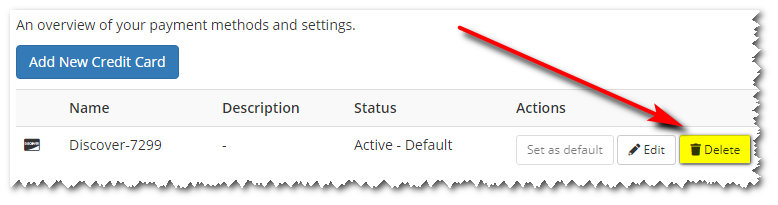
    3. Click the "Delete" button next to the card you wish to remove.  See screenshot below. :

      Delete Credit Card
  • 0 Users Found This Useful
Was this answer helpful?

Related Articles

Credit Card on File - Do I have one? How to add one?

To check if you have a credit card on file already: Log in to the QTH Hosting Billing System...

Upgrade or Downgrade your Web or Email Hosting plan

Our billing system allows you to easily upgrade or downgrade to any other web or email hosting...

How to Auto-Pay with a PayPal Subscription

If you are using PayPal to pay yourQTH Hosting invoices, you can set up Automatic Payments with...

How to Cancel your Web Hosting Account

You can use our website to request cancellation of your web hosting service. You will have the...

Credit Card Charge Failure due to Incorrect Billing Address

Our billing system currently has a bug where, in certain situations, the billing address for your...